How to turn a sketch into AI art
You do not need a finished drawing first. Simple outlines communicate your idea; the style and description help develop it. This workflow uses the online canvas for new drawings and the provided examples.
1. Draw a readable subject
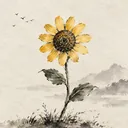
Start on the browser canvas with one clear subject and a few large shapes. A flower head, window or curved neck can make the idea recognizable. Leave room around important details.
2. Explain what the shapes mean
Describe the subject, main colors and setting. The sketch guides layout; the description clarifies rough lines. Choose an art style, then decide whether Creative Expand should add a fuller background.
3. Review, then create a preview
Check the available shape, description and cost before choosing to generate. Sign in for one successful free watermarked preview per account. After reviewing a result, change one important detail at a time.