A simple rocket sketch becomes an oil-painting scene
The sketch uses a pointed body, a circular window, two fins and a short flame. The prompt supplies red, blue and gold, while the oil-painting style adds visible brush texture. This recorded pair shows how the same subject can remain readable as the surrounding space changes.
Sign in for one successful free watermarked preview per account. Originals and further creations require credits. Failed generation does not use the free allowance.
The original sketch and two actual results

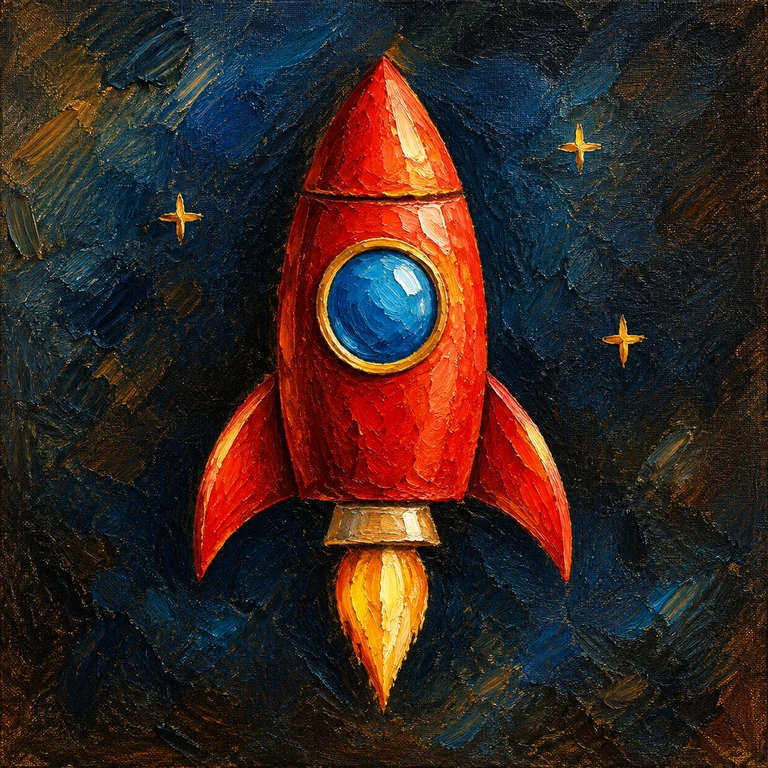
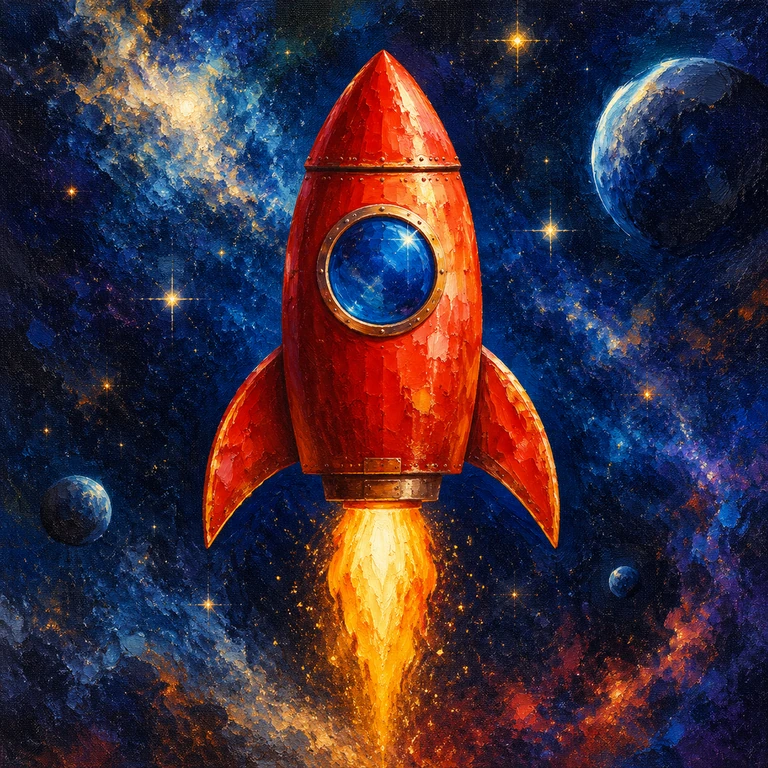
The description and settings used in this pair
One upright red rocket with a round blue window, two side fins and a golden exhaust flame.- Style
- Oil painting
- Style Strength
- 80
- Setting compared
- Creative Expand: off / on
Each pair uses the same sketch, description and style. One actual generation is shown for each setting, so differences also include generation variability. Images are web-optimized versions of those results.
Three shape cues to start with on the canvas
- Draw one tall body with a pointed nose and leave margin above it.
- Place a large circular window in the upper body and separate the side fins.
- Add one flame below the rocket. A few star marks can suggest space without filling the canvas.
What changed in these results
Expansion off
With Creative Expand off, a red rocket with a blue window and gold flame fills much of the frame. Three star-like marks echo the sketch, and the background becomes dark, textured blue. Even this simpler result changes the outline and adds painterly lighting.
Expansion on
With Creative Expand on, the red rocket remains prominent but sits in a more elaborate space scene. Planets, many bright stars and luminous clouds appear, and the flame and proportions change. The added setting gives the picture a different sense of scale.
What to try in your own next sketch
A grayscale sketch can carry layout while the prompt carries the palette. Put the main subject and its important colors first: one red rocket, a blue round window and a gold flame. Oil-painting texture can suit bold, large shapes better than tiny technical details.
If the rocket is cropped, leave more space above the nose and below the flame. If the space scene overwhelms it, turn expansion off or ask for a simple dark background. Avoid depending on exact star counts or reliable lettering on the rocket; add essential text afterward.
Load the example and make it your ownSign in for one successful free watermarked preview per account. Originals and further creations require credits. Failed generation does not use the free allowance.
Example records and getting started
These three pairs come from example generation records retained on October 27, 2026. The sketches and corresponding image files have been checked. This guide was prepared on November 15, 2026. View the public example settings
After loading an example, review its description, style and expansion setting before generating. Check the canvas for current shapes and costs. The same sketch and settings can produce different results.